Fixed to the top of the viewport, the Top Bar is composed of 3 parts:
- “Toggle Side Bar” button for hiding and showing the Side Bar.
- Configurable company logo which will default to the correct logo per brand theme.
- Slot for additional information and actions anchored to the right e.g. to show a theme switcher or a user’s avatar.
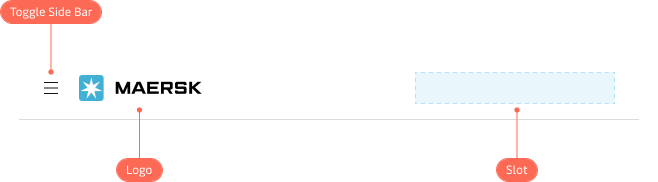
Top Bar showing the Toggle Side Bar button, company logo and slot for additional information and actions.
Product name
The Top Bar is configurable to show an product’s name e.g. “Maersk Design System”.
A shortened version of an product’s name can also be supplied to be shown on smaller viewports e.g. “MDS”.
When a product name is provided, the Top Bar will display a condensed version of a company’s logo e.g. the Maersk Star for Maersk.
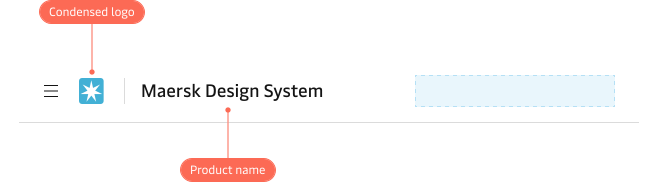
Top Bar showing a product name with condensed company logo.
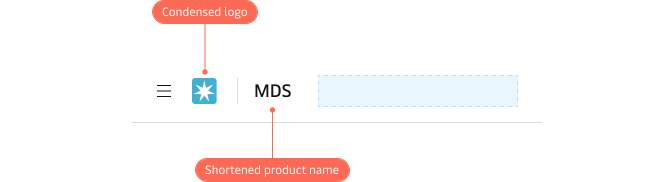
Top Bar showing a shortened product name with condensed company logo for smaller viewports.