Labels
The label guidelines provide best practices and dos and don’ts on how to write good label copy for the following UI label/texts:
For overall guidelines on how we write content at Maersk, please visit BrandCentral.
Button labels
Good button labels are easy to understand and guide the user towards the right action. Well-written labels also provide extra affordance which is very important when you use plain buttons.
Use sentence case
Use sentence case for button labels. Don’t use ALL-CAPS, since users might interpret this as shouting.


Sentence case: the first word is capitalised and the rest is lowercase unless the word is a proper noun.
Use action verbs
Using action verbs make it much easier for the user to understand what the button does and inspire action by providing extra affordance e.g. “save”, “download”, “edit” etc.
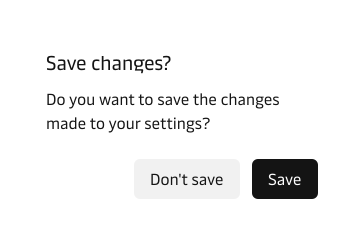
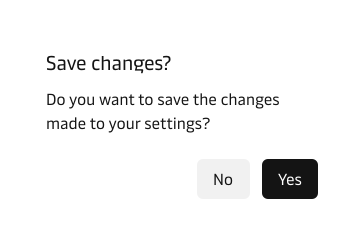
Ideally, a button should be understandable without the surrounding content
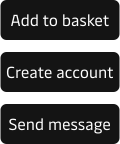
Combine action verbs with a noun
Combining the action verb with a noun will tell the user exactly what they will be adding, downloading, editing etc.


If the button label does not contain an action verb and a noun, it becomes very difficult for the user to distinguish plain buttons from links.
Use task-specific language
Avoid creating button labels that are too generic e.g. using “submit”. Submit is a term that could be used for most buttons. Instead, describe exactly what the button does in that particular context.
Speak like a human being
Use the words that people are familiar with and that people normally would use in this context.


Additionally, make sure to:
- Always write labels that are clear, concise and explicit so that the user exactly what the button does
- Remove redundant and unnecessary words
- Avoid vague labels like “yes”, “no”, “ok” etc.
Form field labels
A field label should communicate what the user should input and not how they should do it.
- Make the label clear, concise and explicit
- Use the help text if additional context or explanation is needed
Avoid verbs like enter, add, input


Don’t add a colon ( : ) at the end of the label


Placeholder text
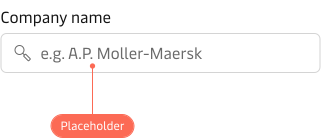
Do not use the placeholder to replace labels. Unlike labels, placeholder text is optional and should be used with care since it disappears when the user starts typing. If the information is crucial, then use the hint text instead.
Hint text
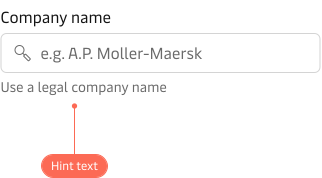
Use the hint text to provide additional information that makes it easier for the user to fill out the form field. Hint text is placed to the left below the form field.