Tabs
Tabs are a way to organise content by grouping similar or related information on the same page.
Best practice
- Use tabs to switch between content within the same context.
- Don’t use tabs for site navigation that allows the user to navigate to another page or area of the app.
- Only use tabs when users don’t have to see content from multiple tabs at the same time.
- Make sure that the tabs are structured in a logical way.
- Each tab label should be short, clear and concise so that it is easy to understand what is hidden behind each tab.
- Don’t use ALL CAPS for the tab labels.
Overflow tabs
Only use this component if there is a space issue but first consider if some tabs can be removed or combined.
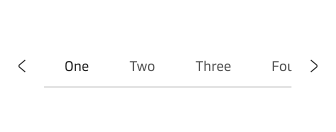
Example of tabs overflowing.