Checkbox
Checkboxes allow users to select one or more choices from a list of options.
Best practice
- Use checkbox groups for 6 or less selectable options. Check our recommendations for all selection components.
- Do not pre-select checkbox options, this might cause users to submit a wrong answer.
- If the user can only choose one option of a selection, use radio buttons instead.
- Use
<fieldset>and<legend>to group checkboxes and give them a label. - Be explicit when the user can select more than one option e.g. use hint text “Select all that apply”.
- The legend (or label with a single checkbox) should describe what to input and not how.
- Use natural language and use the terms that the user would expect.
- Don’t use verbs like enter, add, input etc in the legend/label.
- Don’t add a colon ( : ) at the end of the legend.
- Use the hint text to provide additional context and explanation.
We recommend reading the forms, selection components and label guidelines.
Grouping
By default, the checkbox group is vertically aligned, but the component also supports a horizontally aligned checkbox group. Since horizontal groups are more difficult to scan we always recommend using vertically aligned checkbox groups wherever possible. Always use the vertical group in forms. Read more about grouping in forms in our Form Guidelines.
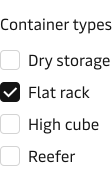
Vertical checkbox group.
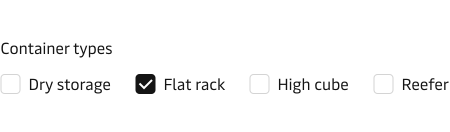
Vertical checkbox group.
Hint text
Use the hint text to provide information that makes it easier for the user to select the right options.
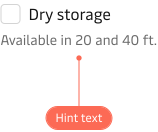
Using a single select button group to collect user feedback from your application.
For a group of checkboxes the hint text is placed above the checkboxes and below the label (<legend>).
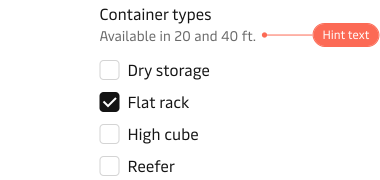
Using a single select button group to collect user feedback from your application.
For more information on hint text and help in general see our form design guidelines.
Error state
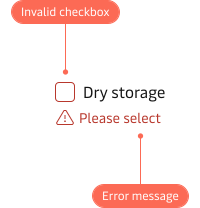
An invalid checkbox is highlighted with a red border and a red error message below.
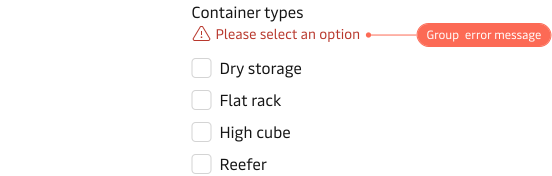
A group of checkboxes are highlighted with a red error message above the checkboxes. Error messages should be clear, concise and provide actionable remedies to resolve the errors.